Pong-Game Unblocked — Play Free Online
More Pong & Table Tennis games




Pong-Game unblocked: play Pong-Game online free right here in your browser — no download, no sign-up, works on a school Chromebook.
Pong-Game is a glowing, neon version of the oldest bat-and-ball arcade idea there is. Before the first serve you pick an avatar and type a name, then step onto a grid-lined court and rally against the computer. There is one paddle, one ball and one opponent, so a session is about reading the ball and nothing else.
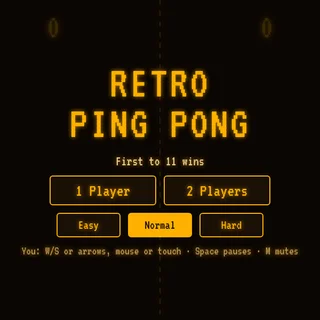
If you came to Retro Ping Pong for the headline game, this is a natural companion. The goal is the same, keep the ball in play and get it past the other side, but the presentation is flatter and more abstract: a top-down court, light trails and a paddle you slide along one edge, instead of a table with a net.
It runs in the browser with nothing to install, so it works as a quick break between longer games. A rally can be over in seconds, which makes it easy to play a few points and leave.
How to play
Use the Up and Down arrow keys, or W and S, to slide your paddle along your side of the court. Click inside the game once first so the keyboard input reaches it; if the paddle does not move, that click is almost always the fix. The title screen has a How to Play entry that shows the keys for this specific build, and it is worth a glance the first time.
A round follows the classic pattern. The ball travels toward you, you move to meet it, and the angle at which it leaves the paddle depends on where it hit. Miss it and the computer scores; get it past the computer and the point is yours.
Tips
- Start moving as soon as the ball leaves the opponent's paddle, not when it is close. Small early adjustments beat panicked long slides.
- Try meeting the ball with the edge of the paddle rather than the centre. In most Pong-style games this gives a sharper return that is harder to cover.
- Tap the keys in short bursts instead of holding them down, so you do not overshoot the ball's path.
- Keep your eyes on the ball, not your paddle. The paddle is easy to find again, the ball is not.
Similar games on Retro Ping Pong
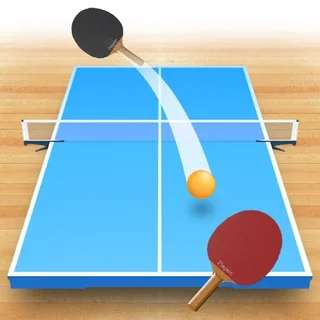
For a version with a real table and a net, try Table Tennis 3D or Table Tennis Cup; those follow the mouse rather than the keyboard. Ping Pong Chaos and Ping Pong Go are other takes on the same sport, and Foosball and Hockey Stars swap the ball for a different kind of head-to-head match.
Pong-Game suits players who want the simplest possible rules, a keyboard in reach, and a round they can finish in a couple of minutes.
Questions about Pong-Game
Is Pong-Game unblocked at school?
Pong-Game runs in an ordinary browser tab from retropingpong.org, with nothing to download or install, so it plays on most school Chromebooks and work computers. If a network filter blocks the site, only that network's administrator can change it.
What are the controls in Pong-Game?
Use the Up and Down arrow keys, or W and S, to move your paddle. Click inside the game once so the keys reach it. The How to Play option on the title screen shows the keys.
Do I play against a person or the computer?
You rally against the computer.
Do I need to make an account?
No. You pick an avatar and type a name on the start screen, and it plays free in the browser with no download.
Why is my paddle not moving?
Click inside the game window once to give it keyboard focus, then use the arrow keys or W and S.