Ping Pong Unblocked — Play Free Online
More Pong & Table Tennis games




Ping Pong unblocked: play Ping Pong online free right here in your browser — no download, no sign-up, works on a school Chromebook.
Ping Pong is a stripped-back table tennis game in a bright, clean layout. There is no story, no character roster and no tournament ladder to sort through: you press play, the ball comes over the net, and your job is to keep sending it back. It suits anyone who wants the core of the sport in a few seconds.
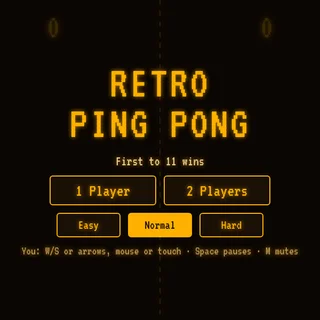
A session is really a rally. You watch the ball, slide your paddle into its path and try to outlast the other side. Because there is so little on screen, everything you notice is about timing and position, which is the same appeal that keeps people coming back to the original Retro Ping Pong on this site.
The game runs in the browser with nothing to install and no account. The catalogue lists it under Poki, and it is a good pick when you have a few minutes and want something that starts immediately.
How to play
Use the Up and Down arrow keys, or W and S, to move your paddle. Some of the table tennis games in this catalogue follow the mouse instead, so if the paddle does not react to the keys, try moving the mouse over the play area. Click inside the game once before you start so the keyboard input reaches it rather than the page around it.
A gear button gives you sound and speed options. If the ball feels too quick, slow it down there; if the rallies feel too easy, raise it. Sound can be switched off from the same place, which helps if you are playing somewhere quiet.
Tips
- Keep your paddle near the middle between returns instead of chasing to a corner and getting stuck there.
- Start by moving toward the ball early. Small, steady corrections beat one big late lunge.
- If you are new to the game, lower the speed first and raise it once returns feel automatic.
- Click into the game after the page loads. Most missed inputs come from the keyboard focus being elsewhere.
Similar games on Retro Ping Pong
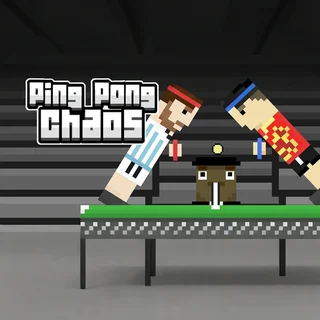
If you want a more classic black-and-white feel, Pong-Game sticks closer to the original arcade idea. Ping Pong Chaos and Ping Pong Go change the format, so it is worth trying them when a plain rally starts to feel familiar. Table Tennis 3D moves to a perspective view where the mouse usually does the steering, which is a different skill from the arrow-key play here.
Ping Pong suits short sessions on a laptop or Chromebook, and it is easy to hand to someone who has never played a browser sports game. A keyboard makes the paddle easier to control than a touch screen, though the page loads on a phone as well.
Questions about Ping Pong
Is Ping Pong unblocked at school?
Ping Pong runs in an ordinary browser tab from retropingpong.org, with nothing to download or install, so it plays on most school Chromebooks and work computers. If a network filter blocks the site, only that network's administrator can change it.
What are the controls in Ping Pong?
Move the paddle with the Up and Down arrow keys or W and S. Some table tennis games on the site use the mouse instead. Click inside the game once so the keys register.
Can I change the speed or sound?
Yes. The gear button in the game has sound and speed options.
Is Ping Pong free to play?
Yes. It runs in your browser on retropingpong.org with no download or account.
Does it work on a phone or Chromebook?
It is an HTML5 game, so it loads in modern browsers, including on Chromebooks and phones. A keyboard makes the paddle easier to control.