Table Tennis Cup Unblocked — Play Free Online
More Pong & Table Tennis games
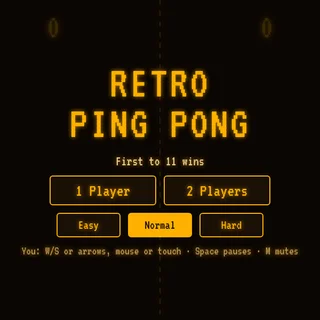
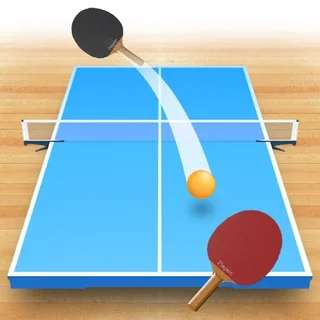



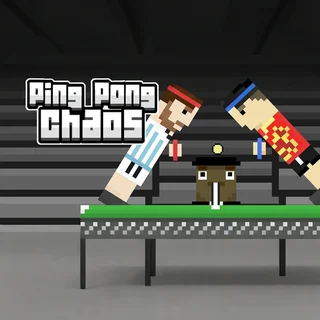


Table Tennis Cup unblocked: play Table Tennis Cup online free right here in your browser — no download, no sign-up, works on a school Chromebook.
Table Tennis Cup brings the responsive feel of a classic ping pong duel directly into your browser. Facing off against a determined computer opponent across the green felt, your objective is simple yet challenging: track the incoming ball, position your paddle cleanly, and keep the rally going until your opponent falters.
While many paddle games stick strictly to flat vertical planes, this title simulates court depth and angled rebounds. A well-placed strike can send a sharp drive across the opposite corner or float a soft defensive loop back into play. It makes an ideal companion on Retro Ping Pong for anyone looking for a direct test of hand-eye coordination between arcade sessions.
How to play
Start each match by pressing the play button on the main screen. Control your racket using standard mouse or trackpad movement, guiding your paddle across your side of the table to intercept each incoming shot.
Placement depends heavily on contact timing and paddle position. Striking the ball right as it reaches the peak of its bounce produces a faster, flatter return. Meeting it slightly off-center or toward the outer edge of your paddle introduces cross-court angles that force the opponent to scramble. The rally continues back and forth until one player misses the table or fails to clear the net, awarding a point to the server.
Tips for winning rallies
- Watch the table bounce: Keep your eyes on the shadow beneath the ball. Judging where it hits your side of the table gives you the exact depth and timing needed for a solid stroke.
- Reset to center: After every return, drift your mouse back toward the middle of the baseline. Lingering too far to one flank leaves you vulnerable to wide returns on the opposite side.
- Target the corners: Repeatedly driving the ball toward alternating corners prevents the computer opponent from settling into an easy defensive rhythm.
- Avoid rushing your swing: Panicked cursor movements often result in mistimed swings that clip the net or sail over the far baseline. Smooth, deliberate positioning wins more points than frantic swipes.
Similar games on Retro Ping Pong
Players who enjoy Table Tennis Cup will find several great alternatives across the site. For an experience with added vertical perspective and spin dynamics, explore Table Tennis 3D. If you prefer wacky physics and multiplayer party fun, Ping Pong Chaos delivers hilarious head-to-head duels. For quick-fire retro arcade minimalism, jump straight into Pong-Game or the headline title Retro Ping Pong.
Because the match runs entirely in HTML5, you can jump straight into a quick set on any desktop or laptop browser without installing external software or setting up an account.
Questions about Table Tennis Cup
Is Table Tennis Cup unblocked at school?
Table Tennis Cup runs in an ordinary browser tab from retropingpong.org, with nothing to download or install, so it plays on most school Chromebooks and work computers. If a network filter blocks the site, only that network's administrator can change it.
How do you control the paddle in Table Tennis Cup?
Move your mouse across the table to position your racket. The game tracks your cursor speed and contact point to determine the direction and power of your return.
Can you play Table Tennis Cup with two players?
No, Table Tennis Cup is designed as a single-player table tennis challenge where you compete against a computer-controlled opponent across continuous rallies.
Does Table Tennis Cup save your tournament progress?
The game runs directly within your active browser session, so matches and tournament rounds reset if you refresh or close the page.
What devices can run Table Tennis Cup?
Table Tennis Cup runs in modern desktop and laptop web browsers with mouse or trackpad controls. Because it relies on precise cursor tracking, a mouse provides the best control.