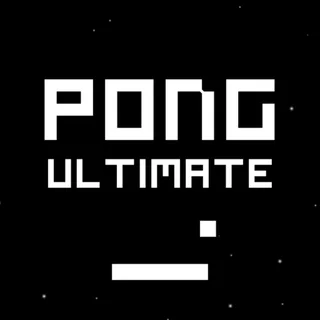





This is Retro Ping Pong unblocked: classic Pong loaded from retropingpong.org itself, so it plays in an ordinary browser tab on a school Chromebook, laptop or tablet. Free, no download, no extension, no account.
Retro Ping Pong: two paddles, one ball, first to 11
Retro Ping Pong is Pong as it looked on a 1970s screen: a black court, a dashed line down the middle, a paddle on each side and a small square ball, all glowing amber with a faint phosphor trail behind the ball. The game underneath is Retro Pong, a small open-source HTML5 version by Mehmet T. Akalın. This site serves its own copy of it, with a proper menu, three computer levels, touch controls and a real end to the match.
The rules take ten seconds to learn. You are the left paddle. The ball is served from the centre line, and you have to get your paddle in its way. If it gets past you, the other side scores and the next ball is served towards you after a one-second blink. The first player to 11 points wins, as on the 1972 arcade cabinet. The difference between players is not the rules but the angles.
Where the ball meets your paddle decides where it goes next. A hit in the middle sends it back almost flat. A hit near the top or bottom edge sends it away steeply, bouncing off the walls. Every return also makes the ball a little faster, from a gentle start up to more than double the serve speed in a long rally, and the speed resets after each point. Against the computer, that is how you win: steep, fast shots it cannot reach in time.
Controls & mechanics
| Action | Control | Purpose |
|---|---|---|
| Move your paddle (1 Player) | W / S or ↑ / ↓ | Both sets move the left paddle when the CPU has the right one |
| Mouse or touch | Move the pointer or drag a finger | The paddle follows it up and down; in 2 Players each half of the court steers its own paddle |
| Two players | W / S and ↑ / ↓ | Left paddle on W and S, right paddle on the arrow keys |
| Pause | Space, P or Esc | Tap the court to carry on; the game also pauses when you switch tabs |
| Sound | M | Mutes the paddle, wall and point blips |
| Play again | Enter or the menu buttons | Enter repeats the last mode after a game |
How to win more points in Retro Ping Pong
- Hit with the edges: The centre of the paddle returns the ball flat and easy. The top and bottom edges send it off at a steep angle, and steep balls are the ones the CPU misses.
- Let the rally speed up: Each return adds speed, up to a cap. The CPU on Easy and Normal starts to struggle once the ball is fast, so a long rally is usually good for you.
- Go back to the middle: After each return, bring your paddle back towards the centre of the court. From there no ball is more than half a court away.
- Watch the bounce, not the ball: A ball heading for the top wall will come down on the other side of it. Read where it will cross your line and move there early.
- Use the mouse on a laptop: Keys move the paddle at a fixed speed; the mouse lets it jump straight to where you point, which is easier on fast balls.
- Serve comes to the loser: After a point the ball is served towards the player who just conceded, from a random height. Be in the middle when the blinking stops.
Key features
- 1 or 2 players: Play the computer or share one keyboard (or one touch screen) with a friend.
- Three CPU levels: Easy, Normal and Hard differ in how fast the computer paddle moves, how early it reads the ball and how well it aims.
- First to 11: A real match with an end, and your win–loss record against each CPU level kept in the browser.
- Angles and speed: Edge hits send the ball steep, and every return makes it faster until the next point.
- Amber CRT look: Glowing phosphor, a fading ball trail, scanlines and 1972-style blips.
- Keyboard, mouse or touch: Works on a Chromebook, a laptop, a tablet or a phone held sideways.
Game info
- Title: Retro Ping Pong
- Developer: Mehmet T. Akalın
- Category: Pong & Table Tennis
- Platform: Web browser (HTML5)
- About the build: Retro Pong by Mehmet T. Akalın (2025, MIT licence) · HTML5 canvas · menu, CPU levels, touch and sound added here · served from retropingpong.org
Pro tip: On Hard, stop trying to out-rally the computer with flat returns. Let the ball hit your paddle a finger-width from the end: the steep angle plus a fast ball is the one return Hard often cannot reach.