Ping Pong Go Unblocked — Play Free Online
More Pong & Table Tennis games



Ping Pong Go unblocked: play Ping Pong Go online free right here in your browser — no download, no sign-up, works on a school Chromebook.
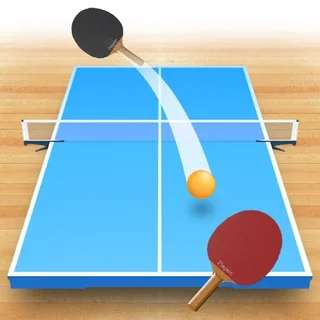
Ping Pong Go puts you behind your own bat looking down a 3D table, and the whole game is keeping the ball in play. There is no menu of rules to learn: the ball comes at you, you slide the paddle into its path, and you send it back. Longer rallies earn stars, so the aim is not just to win a point but to stay in the exchange as long as you can.
That camera angle is what sets it apart from the flat, top-down paddles most people picture when they hear "pong". You judge depth and angle rather than reading a simple line across a screen, which makes the first few returns feel a little different even if you have played plenty of the classic version. If you came to Retro Ping Pong for quick, low-pressure rallies, this is a good next stop.
It runs in the browser with nothing to install, and a session can be as short as a single rally or as long as you like.
How to play
Move the paddle to meet the ball. On this site's table tennis games the paddle follows the mouse, while the simpler keyboard games use the up and down arrows or W and S. Click inside the game once before you start so your input reaches it. If the paddle does not respond to the keys, try the mouse, and the other way round.
Each round is a rally. Watch the ball as it leaves your side and settle the paddle early rather than lunging at the last moment. Stars are awarded for how long you keep returning the ball, so a steady run of safe returns is worth more than one risky smash that ends the point.
Tips
- Track the ball, not the paddle. Your eyes should follow the ball from the moment it is hit.
- Get into position early and make small corrections; big late swings cause most misses.
- Aim for consistency first. Since longer rallies are what count, do not chase awkward angles until you can hold a rally comfortably.
- If the ball speeds up as the rally goes on, stay calm and keep your movements short.
Similar games on Retro Ping Pong
Table Tennis 3D and Table Tennis Cup are the closest neighbours if you like the three-dimensional view, while Ping Pong Chaos adds more unpredictability to the basic idea. If you would rather go back to the plain original, Pong-Game and the headline Retro Ping Pong keep things flat and simple.
Ping Pong Go suits short breaks: it is quick to pick up, easy to restart, and works with either a mouse or a keyboard depending on the build you get.
Questions about Ping Pong Go
Is Ping Pong Go unblocked at school?
Ping Pong Go runs in an ordinary browser tab from retropingpong.org, with nothing to download or install, so it plays on most school Chromebooks and work computers. If a network filter blocks the site, only that network's administrator can change it.
How do I control the paddle in Ping Pong Go?
Move the mouse, or use the up and down arrow keys or W and S, to slide the paddle. Click inside the game once first so it receives your input.
How do I earn stars?
Stars reward long rallies, so keep returning the ball for as long as you can.
Is Ping Pong Go free to play?
Yes. It plays free in your browser on retropingpong.org with no download or account.