Ping Pong Chaos Unblocked — Play Free Online
More Pong & Table Tennis games


Ping Pong Chaos unblocked: play Ping Pong Chaos online free right here in your browser — no download, no sign-up, works on a school Chromebook.
Ping Pong Chaos is a pixel-art table tennis game set in a stadium. Matches are short, the rules are the ones you already know from Pong, and between games there is a customisation screen where you can change how your player and paddle look. It loads in the browser with nothing to install, so it works as a quick break as well as a longer session.
Beyond a single quick match, the game offers a Tournament ladder. You play a series of opponents in order rather than one-off rallies, which gives the short matches a sense of progress. If you came to Retro Ping Pong for the simple back-and-forth of paddle against paddle, this is a natural next step: the same core idea with more presentation, a bit more structure and a few personal touches.
We can only describe what the game itself shows: pixel art, a stadium setting, quick matches, a Tournament mode and a customisation screen. We have not listed level counts, opponent names or unlockables, since we can't confirm them.
How to play
The listed controls are the up and down arrow keys, or W and S, to move your paddle. Click inside the game once before you start so the browser sends your key presses to it. Some other table tennis games on this site use the mouse instead, so if the paddle does not respond to the keyboard, try moving the mouse over the game area.
A round is a rally. Position the paddle in line with the ball, return it, and try to leave your opponent out of position. Whoever misses concedes the point, and the match carries on until one side wins.
Tips
- Start in the middle of your side and move only when the ball's path is clear. Moving early usually means overshooting.
- Watch how the ball leaves your paddle. Where it meets the paddle affects the return angle in most Pong-style games, so use that to aim away from the opponent.
- Play a few quick matches before the Tournament to get a feel for the ball speed.
- Use the fullscreen button under the game if the pixel art feels small.
Similar games on Retro Ping Pong
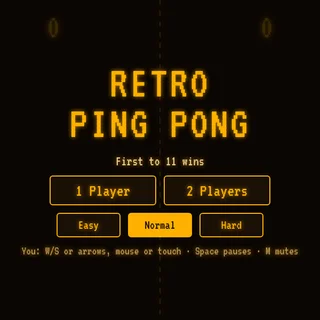
Retro Ping Pong is the site's headline game and the most direct comparison. Pong-Game keeps things closer to the original arcade format. Table Tennis 3D and Table Tennis Cup move to a three-dimensional table, and Ping Pong Go and Ping Pong WebGL offer other takes on the sport. If you want a change of sport, Foosball, Hockey Stars and Tennis Masters are also listed.
Ping Pong Chaos suits short breaks best, with a Tournament for longer sessions. A keyboard is the more comfortable way to play, though it should also run in a modern browser on a Chromebook.
Questions about Ping Pong Chaos
Is Ping Pong Chaos unblocked at school?
Ping Pong Chaos runs in an ordinary browser tab from retropingpong.org, with nothing to download or install, so it plays on most school Chromebooks and work computers. If a network filter blocks the site, only that network's administrator can change it.
How do I control the paddle in Ping Pong Chaos?
Use the up and down arrow keys or W and S. Click inside the game once first so the keys reach it. Some table tennis games on the site use the mouse instead.
Does Ping Pong Chaos have a Tournament mode?
Yes. Besides quick matches, the game has a Tournament ladder and a customisation screen for your player and paddle.
Is Ping Pong Chaos free to play?
Yes. It runs in your browser on retropingpong.org with no download or account.
Does Ping Pong Chaos work on a Chromebook?
It is an HTML5 game and should run in a modern browser, though a keyboard is the more comfortable way to play.