Ping Pong WebGL Unblocked — Play Free Online
More Pong & Table Tennis games






Ping Pong WebGL unblocked: play Ping Pong WebGL online free right here in your browser — no download, no sign-up, works on a school Chromebook.
Ping Pong WebGL puts you directly at the baseline of a three-dimensional table tennis court. Created by MortimerGoro, this lightweight browser game strips away distracting menus to focus entirely on the rhythm of a fast-paced rally. Viewed from a behind-the-paddle perspective, every incoming serve challenges your depth perception and hand-eye coordination as the ball arcs across the net.
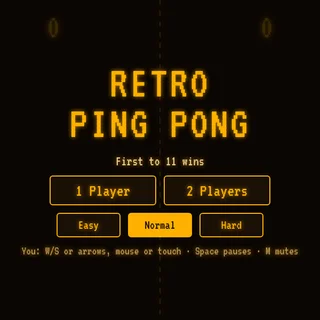
For players visiting Retro Ping Pong, it offers a fresh take compared to flat 2D arcade classics. Instead of bouncing between two vertical bars on a black screen, you track the height, bounce angle, and speed of the ball across a textured 3D table. A single round takes less than a minute to grasp, but keeping a sustained rally alive requires clean mouse positioning and sharp reflexes.
How to play
Controlling the action is straightforward and relies entirely on mouse movement:
- Move the mouse to slide your red bat across your side of the table.
- Position the bat behind the ball just after it bounces on your half to strike it back.
- Angle your returns by meeting the ball slightly off-center or catching it at different points along its bounce trajectory.
The core objective is to return every incoming shot legally over the net without letting the ball drop past your baseline. Matches test consistency: as rallies stretch on, the pace quickens, giving you less time to correct minor positioning errors before the next return.
Tips for longer rallies
- Track the bounce height: Wait for the ball to bounce on your side of the table before swinging. Striking too early while the ball is still dipping can cause miss-hits.
- Center your cursor: Keep your mouse centered near the middle of your baseline between shots so you can react equally well to left and right corners.
- Make smooth adjustments: Avoid jerky mouse movements that push the bat past the ball; smooth tracking makes it easier to hit the sweet spot.
Similar games on Retro Ping Pong
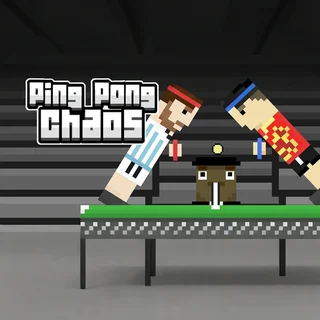
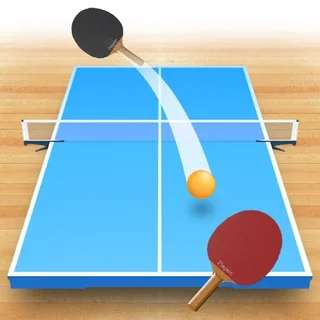
If you enjoy the 3D perspective of Ping Pong WebGL, try Table Tennis 3D for another take on realistic depth and angled paddle strikes. For a more chaotic, multiplayer party feel, Ping Pong Chaos introduces unpredictable physics and wild jumping mechanics. If you prefer classic arcade roots, Pong-Game strips the sport back to its original two-dimensional origins.
Ping Pong WebGL runs smoothly directly in modern desktop browsers with zero setup or downloads required, making it an ideal choice for quick reflex-training breaks.
Questions about Ping Pong WebGL
Is Ping Pong WebGL unblocked at school?
Ping Pong WebGL runs in an ordinary browser tab from retropingpong.org, with nothing to download or install, so it plays on most school Chromebooks and work computers. If a network filter blocks the site, only that network's administrator can change it.
How do you control the paddle in Ping Pong WebGL?
Move your mouse across the screen to position the red paddle behind the ball and return it across the net.
Do I need to install any software to play Ping Pong WebGL?
No, the game runs directly in any modern desktop browser supporting WebGL without extra downloads or plugins.
What is the best way to keep a rally going?
Watch the ball bounce on your side of the table first and reset your paddle to the center after every return.